Mouse
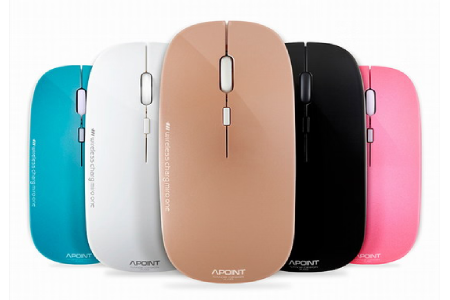
Mouse
A mouse is used for pointing, selecting, and navigating on a computer screen.
Common types:
- Wired Mouse: A standard mouse that connects to a computer via a USB cable, providing a reliable, lag-free connection. Examples: Logitech G203, Microsoft Basic Mouse.
- Wireless Mouse: Uses Bluetooth or a USB receiver to connect to the computer without cables, offering greater mobility and less clutter. Examples: Logitech MX Master 3, Apple Magic Mouse.
- Laser Mouse: Similar to optical mice but uses laser sensors, offering greater precision, especially on glossy or reflective surfaces. Examples: Logitech G900, Razer Lachesis.
- Trackball Mouse: Has a stationary ball that users move with their fingers or thumb, which can be more ergonomic for some users. Examples: Logitech MX Ergo, Microsoft Trackball Explorer.
- Gaming Mouse: Designed for gaming, these mice have high-DPI sensors, customizable buttons, and ergonomic designs to enhance performance. Examples: Razer Naga, Corsair Dark Core.
- Vertical Mouse: Designed to reduce wrist strain, the mouse is held in a handshake position, making it more ergonomic for extended use. Examples: Logitech MX Vertical, Anker Vertical Mouse.
- Touchpad: A flat surface on laptops or as standalone devices that allows users to control the cursor by moving fingers across it. Examples: MacBook touchpad, Wacom Intuos.
Key Features:
- DPI (Dots per Inch) – Adjustable sensitivity for precise cursor movement.
- Wired or Wireless – Options for cable-free or wired use.
- Ergonomic Design – Contoured shapes to reduce strain during long use.
- Buttons – Standard or additional programmable buttons for extra functionality.
- Scroll Wheel – For easy scrolling through pages or documents.
- Laser or Optical Sensors – For smooth and accurate tracking on various surfaces.