Monitor
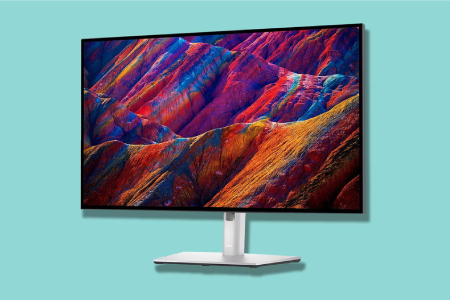
Monitor
A monitor is a display device that visually presents output from a computer for user interaction and viewing.
Common types:
- LCD (Liquid Crystal Display) Monitors: The most common type, using liquid crystals sandwiched between two layers of glass or plastic to produce images. They are energy-efficient and offer good colour reproduction. Examples: Dell P Series, HP EliteDisplay.
- LED (Light Emitting Diode) Monitors: A type of LCD monitor that uses LEDs for backlighting, offering better brightness, contrast, and energy efficiency. Examples: Samsung Odyssey, LG 27UK850-W.
- OLED (Organic Light Emitting Diode) Monitors: Use organic compounds that emit light when an electric current is applied, providing deeper blacks, better contrast, and more vibrant colours. Examples: LG UltraFine OLED, ASUS ProArt OLED.
- Curved Monitors: Have a curved screen that provides a more immersive viewing experience, especially for gaming and multi-monitor setups. Examples: Samsung Odyssey G7, Acer Predator X34.
- Gaming Monitors: Designed for high-performance gaming, these monitors offer high refresh rates (120Hz or higher), low response times, and advanced features like G-Sync or FreeSync for smooth gameplay. Examples: ASUS ROG Swift, Acer Nitro.
- 4K Monitors: Monitors with a resolution of 3840×2160 pixels, offering high-definition visuals and better clarity, ideal for content creation, gaming, and media consumption. Examples: Dell UltraSharp U2720Q, LG 27UK850-W.
- Ultra-wide Monitors: Have a 21:9 or wider aspect ratio, providing more screen real estate for multitasking or immersive gaming experiences. Examples: LG 34WN80C-B, Samsung Odyssey G9.
- Touchscreen Monitors: Allow users to interact with the screen directly by touch, commonly used in kiosks, point-of-sale systems, or for design work. Examples: Dell P2418HT, ASUS VT229H.
- IPS (In-Plane Switching) Monitors: Known for their excellent colour accuracy and wide viewing angles, making them ideal for professional photo and video editing. Examples: BenQ PD2700U, ASUS ProArt PA278QV.
- TN (Twisted Nematic) Monitors: Offer fast response times and are often cheaper but have limited colour accuracy and narrower viewing angles. They are commonly used for gaming where speed is critical. Examples: AOC 24G2, BenQ Zowie XL2411P.
Key Features:
- Display Resolution – Determines image clarity (e.g., Full HD, 4K).
- Screen Size – Varies to suit different tasks and user preferences.
- Refresh Rate – Affects motion smoothness, important for gaming and video.
- Panel Type – IPS, TN, or VA panels offer different colour accuracy and viewing angles.
- Connectivity Options – Includes HDMI, DisplayPort, VGA, and USB ports.
- Adjustability – Tilt, height, swivel, and pivot options for ergonomic use.
- Built-in Features – May include speakers, USB hubs, or blue light filters.